Set show details
Adjust the show year, sponsor name, sponsor logo, and the details that frame the public floor plan.
Card Show Map
Give attendees a clean public map, give vendors a spotlight, and give show organizers a back end that is easy to update as tables fill.

How It Works
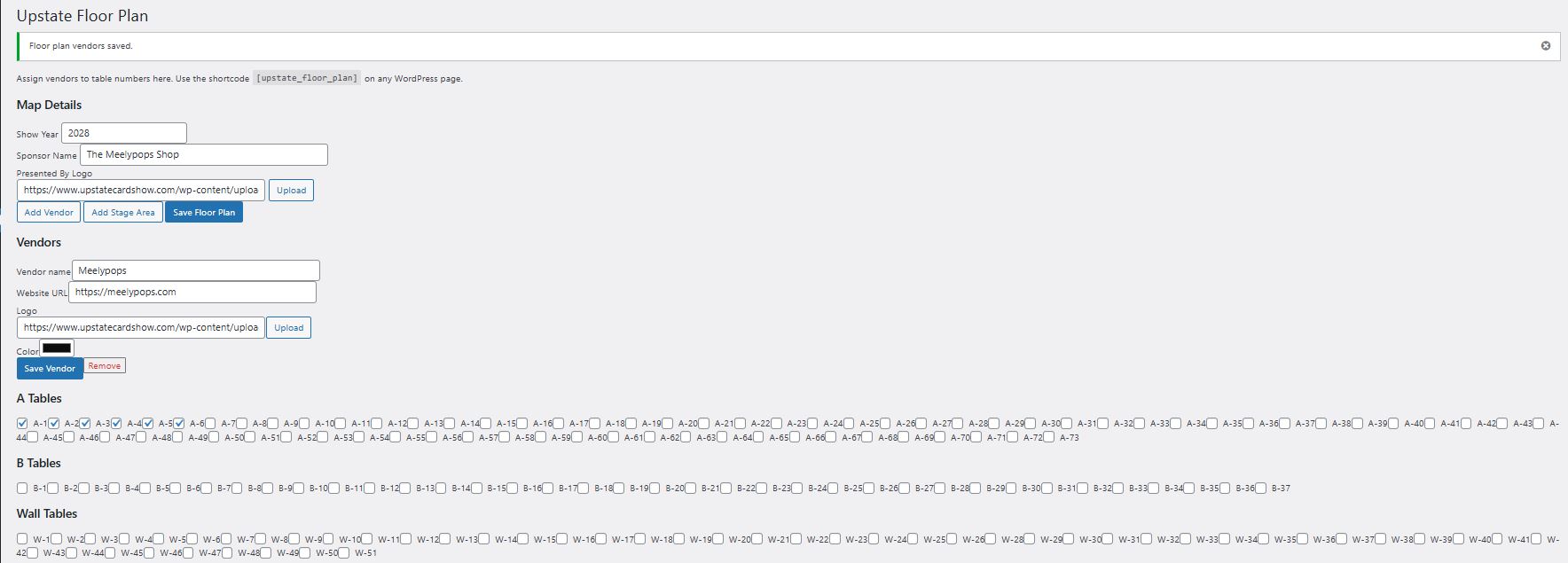
Adjust the show year, sponsor name, sponsor logo, and the details that frame the public floor plan.
Add vendor names, websites, logos, and brand colors so each dealer has a clean spotlight card.
Mark tables as filled and assign vendors to table numbers. The map updates as your floor fills up.
Organizer Admin
The admin panel keeps show-year details, sponsor branding, vendor profiles, and table assignments in one place. Add stage areas, update logos, and check off filled tables as vendors confirm.
Public Floor Plan
The public-facing map turns your floor plan into a clean interactive guide with entrances, table labels, stage areas, sponsor placement, and vendor branding.
Dealer Directory
Every dealer can have a directory card with their logo, color, table list, and website link, giving attendees a quick way to find the businesses they care about.

For Promoters
Card Show Map helps promoters keep table sales organized while giving attendees a polished guide to the room.
Start a Card Show Map Project